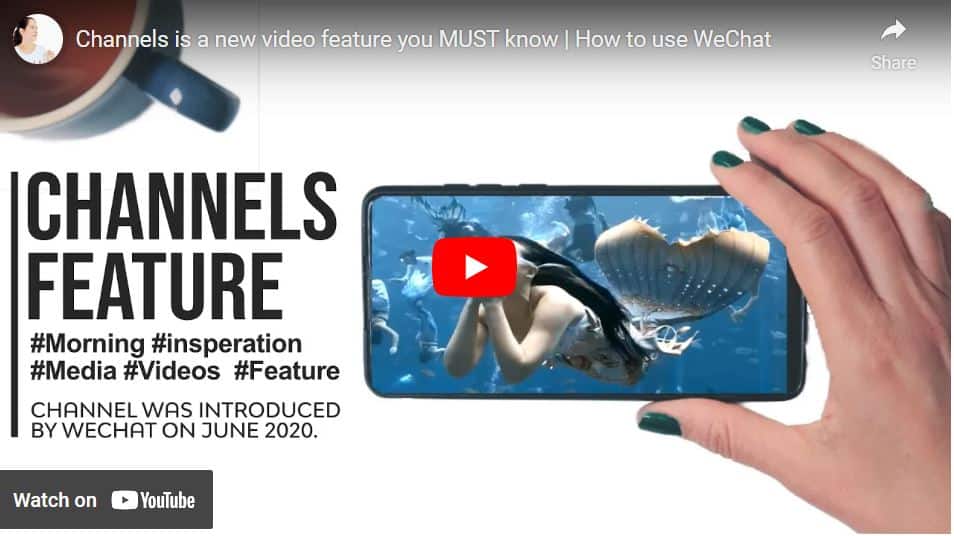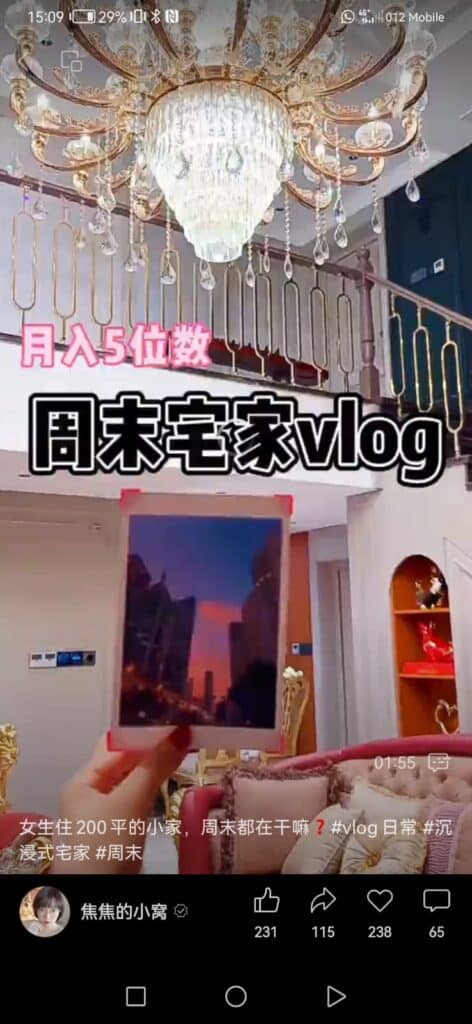
We continue to review the WeChat discovery tab. This lesson is about Channels, a dynamic video feature within WeChat that serves as the “video feed” of the platform. It includes three primary tabs to view videos: following, friends, and hot. You scroll down and watch videos created by strangers, not on your WeChat contact list. This is similar to Instagram reels and TikTok videos.
Each video is up to 60 seconds.
Videos are based on vertical frames, and sometimes you can find a description for it below and
Hashtags with a category or a place.
We will first understand how to find new content, translate the information we need quickly, and then review special tricks to boost your WeChat networking.
How to find it
1. Open WeChat and select the Discover tab.
2. Go to the Channels option and press on it.
As you navigate to one of the three primary tabs, let’s delve into the specifics of each Channels tab:
Friends
Visit the Friends tab to see what videos your WeChat contacts liked. Scroll down and find out if they’ve marked any good videos you might enjoy that are worth watching.
1. Below the video, you will see the name of your friend who liked this video
2. Pressing on your friend’s photo will open a bar with a visible sign. Press on it and click if you wish to hide or not hide their activities.
3. Pressing on the three dots above will let you mark and view other contacts you wish to hide their channels (“the blocked list”!) videos or hide your channel activity from them.
4. When scrolling down on the Friends page, you can see which friend liked this video; sometimes, a note is next to it.
“I also liked those videos. “Pressing on it will lead to another recommended video you might like.
Following
Selecting the Following tab takes you to the channels you’re currently following. How do I start following a channel account? While watching videos, hit the “follow” button below the video. Let’s explore additional actions you can take:
1. Tapping on a video will stop it from playing.
2. Select the comment icon option. Sometimes, you will notice comments about this video running from right to left. This is very common in China and called “bullet comment,” especially in “Billibilli,” the Chinese YouTube.
3. You can control the speed of this video by pressing the speed option and controlling the speed of the video.
4. you can send a private “like” to the video creator.
Hot
The Hot tab in WeChat shows you videos that it thinks you’ll enjoy based on your activity. It’s easy to discover incredible and trendy videos, like Weibo’s “hot” feature. Scroll down, find new videos, and share them with friends by hitting the like button.
If you click on a hashtag, you’ll see more videos on that topic. Some videos might have articles linked to them; click the link to read more. It’s a simple way to explore exciting content!
Next to the three options above, there are two more options:
Search
Now’s your opportunity to discover the hottest videos right now. At the top, you’ll spot the most recent keyword you searched for. Just below, you’ll find the latest search terms people are looking into. The last option showcases the newest and most popular videos on WeChat. Keep an eye out for a green note with Chinese characters – it indicates how many friends have watched that content and their names.
View Settings
You’ll discover the user icon option on the right side of the screen. This is your control center for managing all your channel activity.
Under “Interaction,” you’ll find a collection of videos you’ve loved, liked, or saved as favorites. If you’ve saved a video as a favorite, it will be stored in your favorites folder. To check, head to the box icon at the top of the screen.
Under “Follow,” you’ll discover a list of the accounts you’re currently following. This allows you to tidy up and organize your follows while keeping track of the total number of accounts you’re connected with.
In the “Notifications” section, you can check if your contacts liked your video or if there are any replies to your comments.
For “Messages,” you can follow up on any direct messages you’ve sent to a channel’s account. Keep things organized and stay connected!
Privacy
In WeChat, your privacy settings are entirely in your hands, allowing you to tailor your experience to your liking. You can determine whether to keep your liked videos or those of your friends hidden. If there are users whose content you’d rather not see, you can easily block their channels. Additionally, you can decide if you want to receive notifications for live streams or get recommendations from the WeChat system. This level of customization empowers you to curate your WeChat journey according to your preferences, ensuring a personalized and enjoyable experience.
WeChat Channels isn’t just a feature for entertainment; it’s a platform to discover your friends’ preferences and showcase your watching habits. You can engage by reacting, liking, commenting, forwarding videos to friends in WeChat, or even sharing them in your Moments post. It’s a fantastic way to express your content preferences to friends.
Besides watching videos, there is a new opportunity to expand your social networking and research a subject you are interested in. I have done a workshop where I will teach you tips on how to benefit from the Channels feature and use it to boost your social networking.
You learned about WeChat video channels. Now, we are moving to Top Stories, where you can learn about popular articles and what your friends are reading.
Top stories
Top Stories are the most excellent articles WeChat thinks you should check out. It could be something your friends liked or a famous article on WeChat. Just tap on Discover, then choose Top Stories to see what’s up!
Find interesting articles between the “top” and “wow” categories.
The top is the content that the WeChat algorithm recommends to you. It can be an article or video from the Channels tab.
The wow icon represents the content your WeChat friends want to share. When they press the “wow” icon next to the article they like, it will automatically be added to your “wow” list. Next time your WeChat contacts tap on the top stories tab, they will discover your liked article in their wow section.
WeChat recommends some of the articles in the wow section, so scroll down, and you might find an article or video with a note your friend liked.
When you read an article by going to the Discover tab and then to articles, look for the flower icon between the favorite and the like icons; this is the wow icon. Two things will happen now: your friends will know you recommended this content as it will appear in their wow list.
This article will also appear on your wow list for a few hours.
Next to the wow title, you will find the “videos” option. This is an Instagram-style feed showing you the latest videos that have been released. On the top of the screen, you can see which channel account you are following released a video in the last 24 hours. Pressing on this person’s circle will lead you to this video.
The top option will deliver you to a page with the most popular articles and videos on WeChat.
The last option is the settings tab with the person icon.
The first tab will view all your “wowed” articles.
You can watch your top stories settings on the top right side of the screen.
You can see the articles you read up to 1 month ago.
You can also view the latest videos you watched in wechat here.
News- if there is any news
The latest option will take you to a setup page. You can hide those contact posts or your posts from this contact. You can personalize your recommendation according to your watching habits.
You can also send feedback to WeChat about any issues with the app.
Besides each article or video that appears in the Top Stories, there is a small “x” sign. If you don’t want to see this article anymore, press it, and then you can choose why you don’t like it. The first option is that you would prefer something else to that content.
This action will update the WeChat algorithm that you don’t like this type of content. It is time to move on to the next feature, the scan option. This option is very innovative; don’t miss it. See you in the next lesson!